Copying a Custom Process
There is no direct copy option for custom process, however individual functions can be copied. To copy an entire custom process, we recommend using the following workflow:

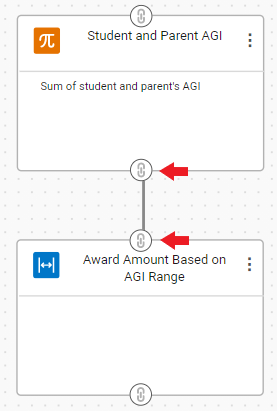
- Select and drag the connector icon on the function you want to perform first until the line reaches the connector icon on the second function.
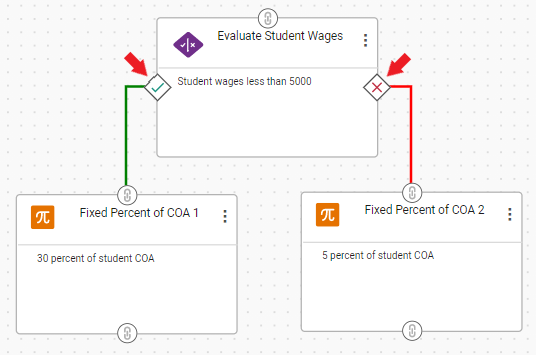
For true/false functions, you will select and drag the green icon on the left for the true condition, and the red icon on the right for the false condition.
- If you need to remove a connector, select the connector with your mouse and then select Backspace (Windows) or Delete (Mac) on your keyboard.
- For more information, see Creating Functions.